
DATABASE INSERT HELP
Follow these steps to insert new records into the BHRR database:
1. The INSERT function is used for brand-new records that do not exist currently in the database. Use the UPDATE function to change existing database records.  For help with updating a database record, click here For help with updating a database record, click here
| |
| 2. Click "Insert" on the command menu bar.
| |

| |
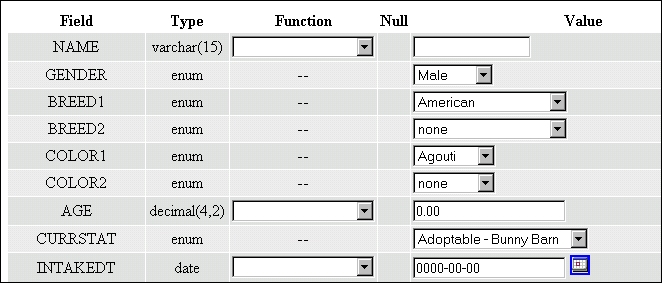
| 3. The next page will bring up the fields of the database record. Some fields are "pre-populated", which means they automatically come up with their DEFAULT values already there. Some fields are freeform text which will accept just about anything while other fields allow only selections from the accompanying dropdown box in the "Values" column. Some are "date" fields which require dates to be in "YYYY-MM-DD" format. To view the help page which gives detailed information of the fields and the kind of information they will accept, click here. When you have made your changes click the GO button. If you change your mind and decide not to insert the record, simply click the BACK button on your browser or click another command from the menu bar at the top of the page. Your changes will not be saved until you click the GO button.
| |
| |
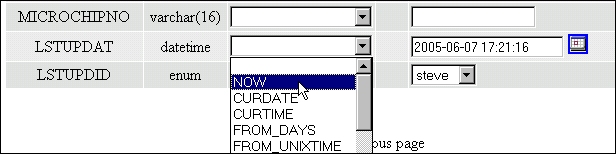
| SPECIAL NOTE: For the LSTUPDAT (Last Update Day and Time) field, always select "NOW" from the dropdown box in the "Functions" column. See below:
| |
|
To return to the main database help page click here.